
Your worship team's week,
all in Selah.
This Sunday's setlist, the songs and keys, the sheet music, who is serving and what to pray for, in one place. Leaders send fewer messages, and musicians and singers show up prepared.
Free on iPhone and Android · Coming soon to the stores.
Setlist changes reach the whole team in real time. No more "which version is the latest?"
AI reads the chords on your sheet and draws the new ones right on the original.
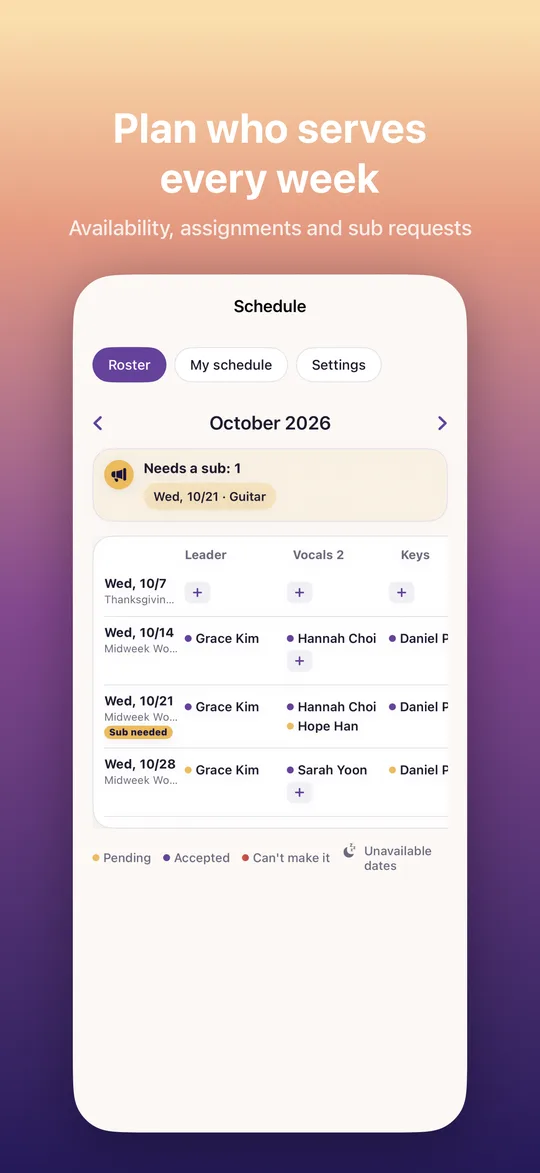
Collect the dates people can't make it, and fill open spots with the first volunteer.
Features
Everything your team needs to prepare, in one app
Leaders, singers, musicians and the media team all look at the same screen.
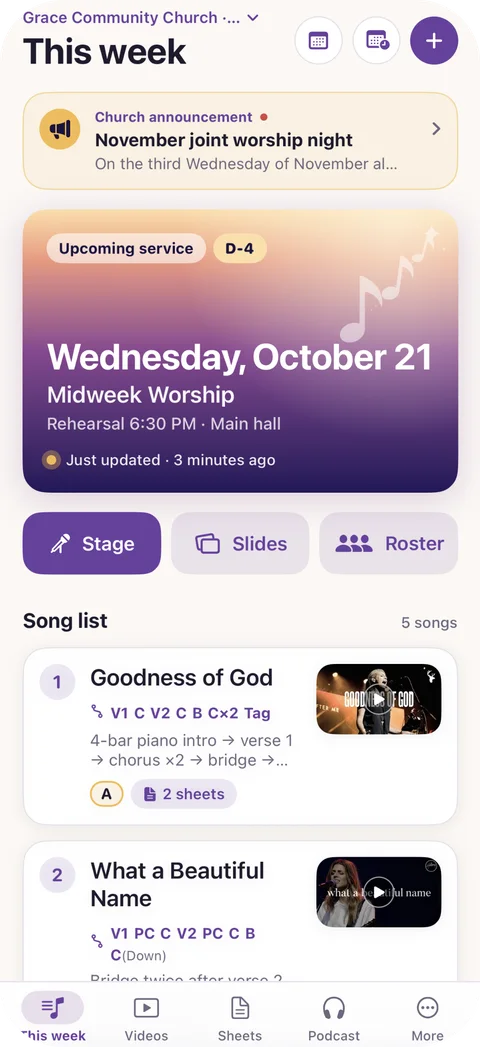
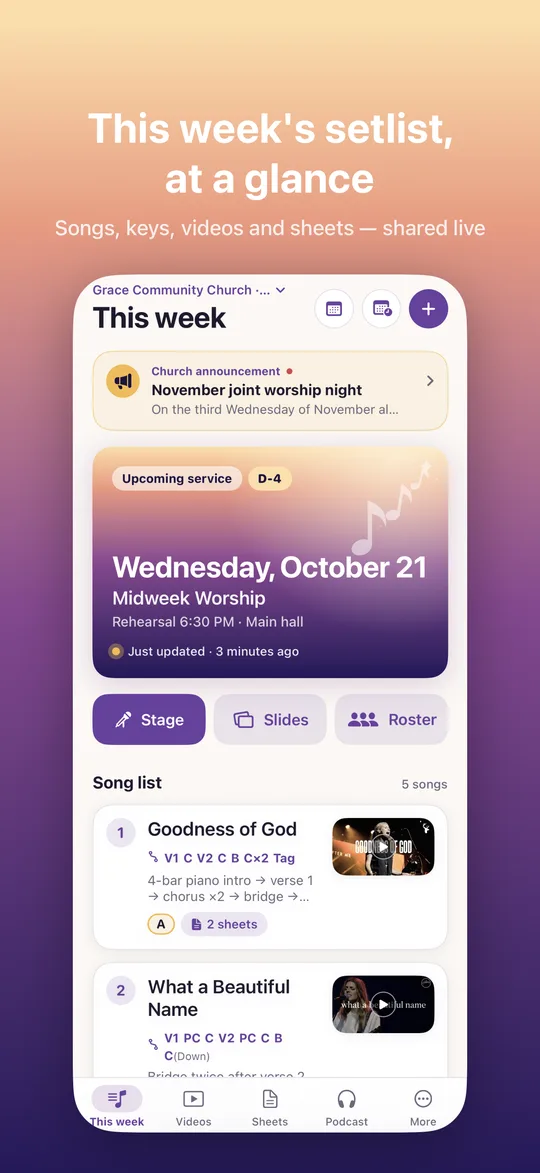
This week's setlist
Lay out each service's songs, keys, notes and song forms, and the whole team sees the same setlist.
- Order · key · notes · song form V1 PC C×2 B C Tag
- Edits appear on everyone's screen in real time
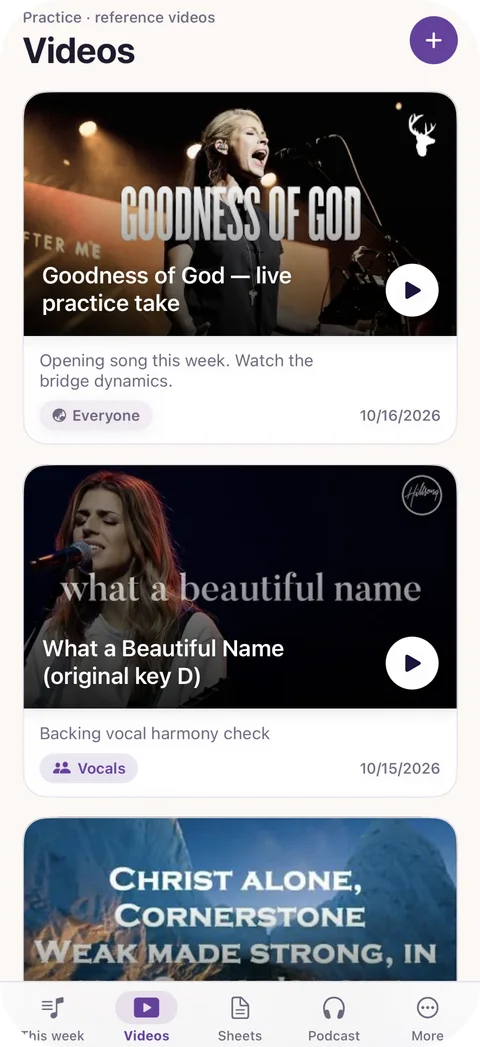
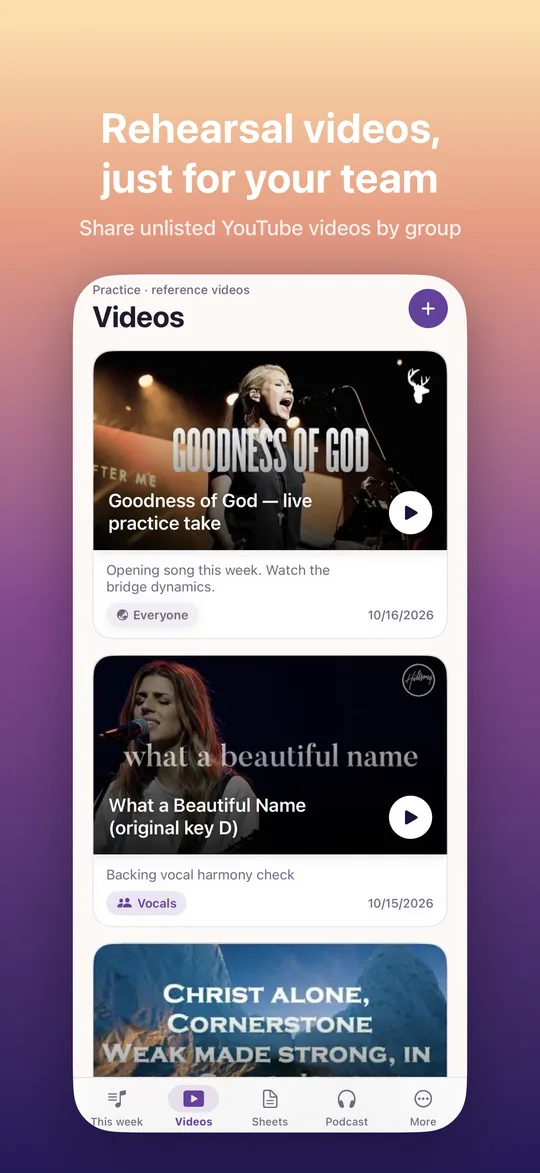
- Rehearsal videos play in the app, including unlisted YouTube links
- Optional push notification when the setlist changes
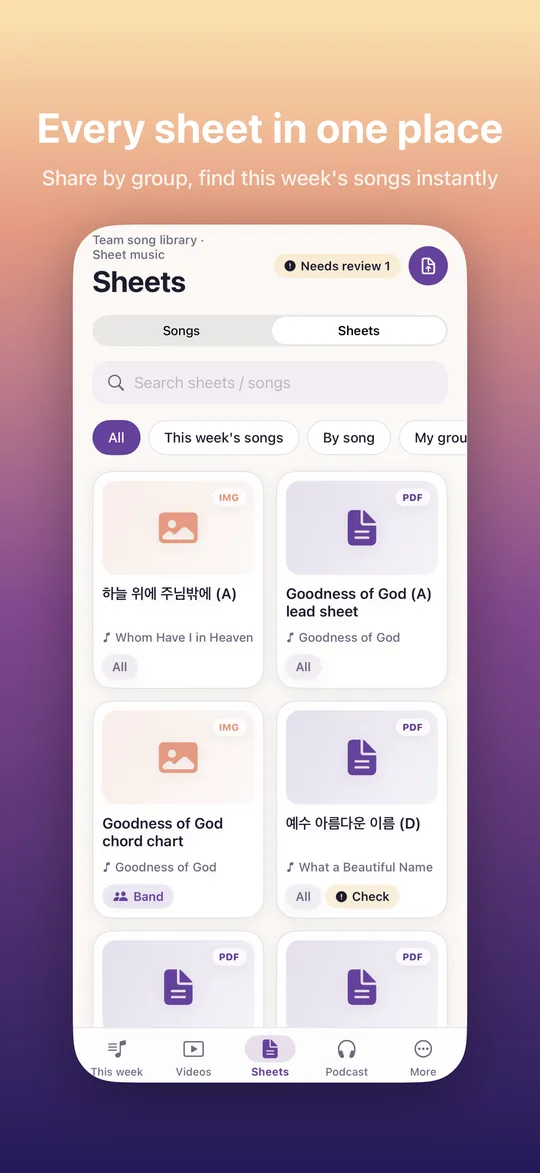
Sheet music · AI chords · transposition
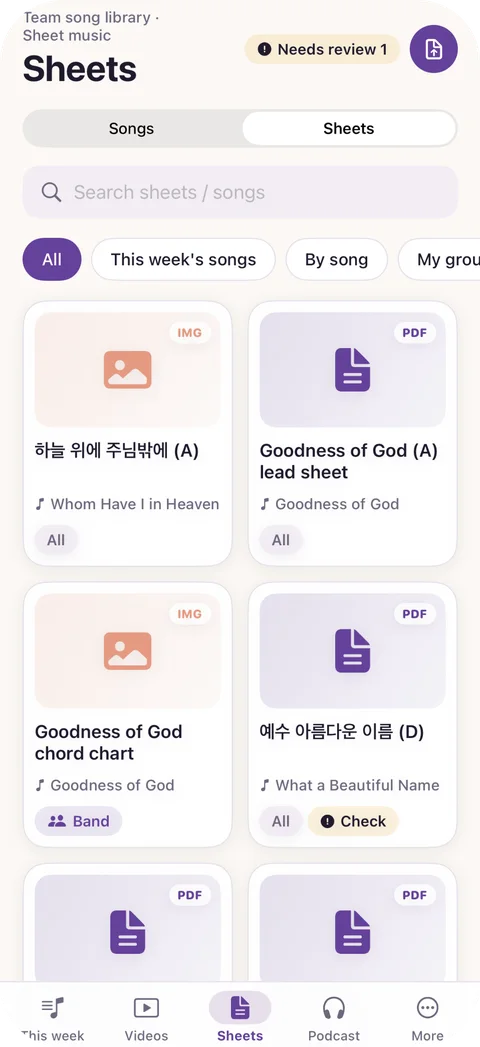
Upload a PDF or image, let AI read the chords, and switch to any key with one tap.
- Share sheets with the whole team or specific groups
- New chords drawn right on top of the original sheet
- Chords that need a second look are highlighted, and anyone can flag one that seems off
- Capo display supported
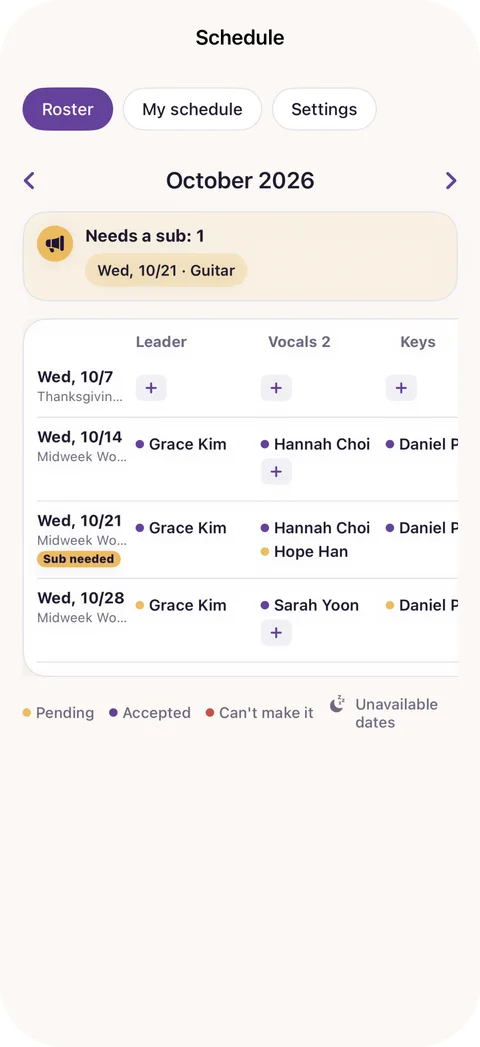
Serving schedule · substitute requests
Build a monthly schedule by service and position. Members accept or decline right from the notification.
- Recurring services, with main / second / sub roles per position
- Members mark the dates they can't come, so leaders see conflicts before assigning
- When a spot opens, people with the same position are notified and the first volunteer fills it
- Guests see only the setlist and sheets for the service they serve
Stage mode
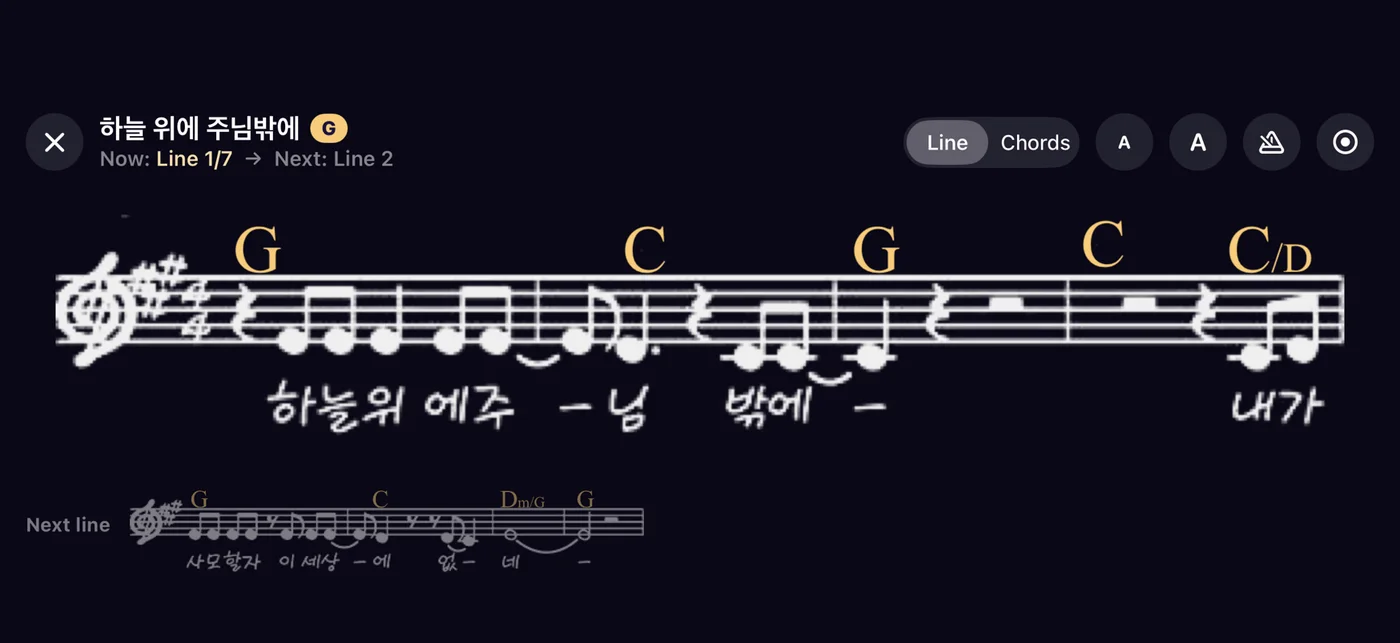
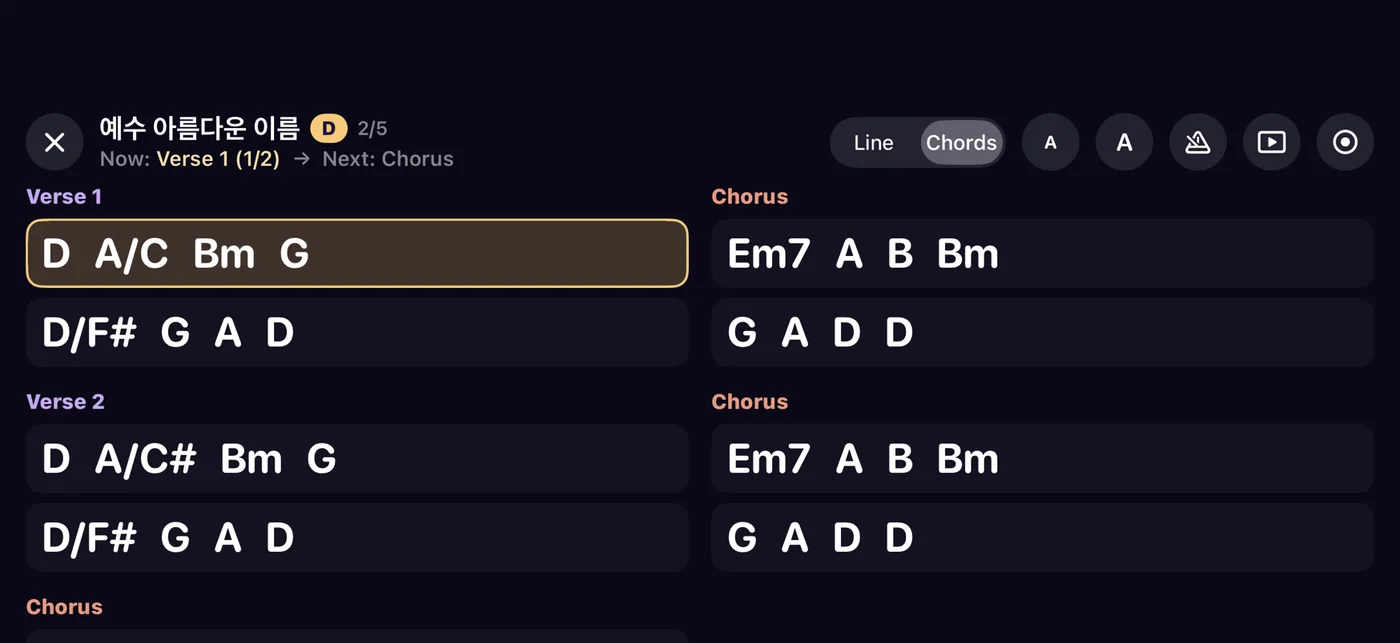
During worship, just the music
Full-screen landscape, dark theme, large chords. It follows the song form and shows you the next line ahead of time.
And more
Everything your team shares
Song library
Default keys, song forms, lyrics and CCLI song numbers for every song your team plays.
Lyrics and slides
Pull lyrics from sheet music, edit them by verse and chorus, and generate PPTX slides for the whole setlist.
Announcements
Church-wide and team announcements with pinning and read receipts (read by 23/31).
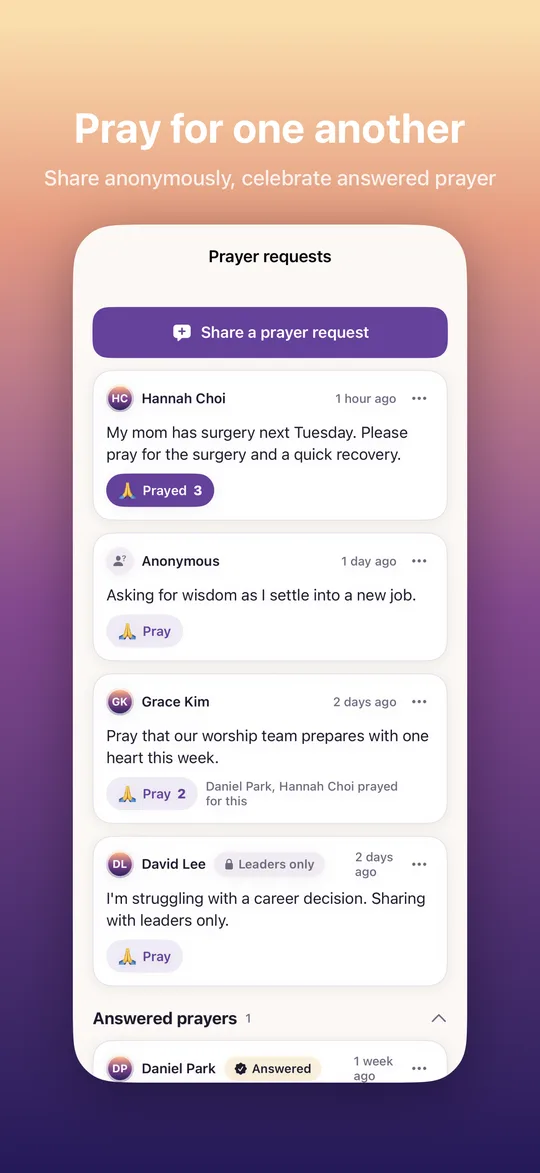
Prayer requests
Share with the whole team or leaders only, optionally without your name. Pray together and share answers.
Church podcast
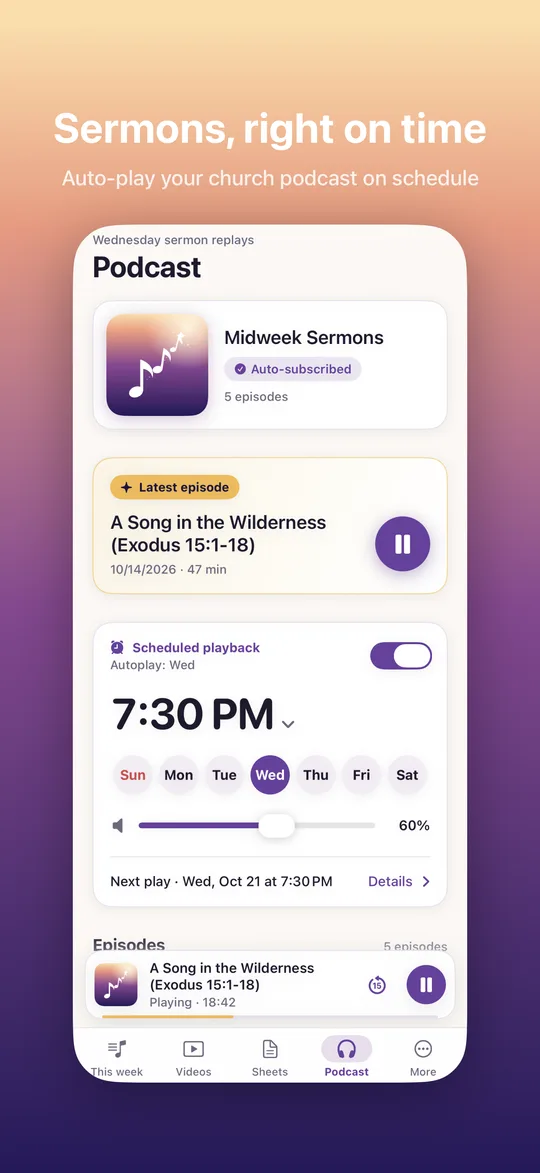
Follow your church's feeds with background playback, and schedule the latest episode to play at a set time and volume.
For every church
Multiple churches and teams, groups (singers, instruments, leaders) and permissions. Join with a code or link; sign in with Google, Apple, Kakao or email.
Take a look
Inside the app
Pricing
Start for free
Free for teams of any size. Go Pro for your whole church to remove ads and use AI without limits.
Free
Every feature, with ads
- Setlists · sheets · schedules · announcements · prayer · podcasts
- Unlimited teams and members
- 5 AI credits a month (10 when your church helps improve recognition)
- Extra credits from optional rewarded ads (up to 10 a month)
Pro · per church
or $99.99 / year (2 months free)
- No ads for anyone in your church
- Unlimited chord recognition, lyric extraction and slides
- Covers every team and member in your church
- Church admins subscribe in the app
AI credits are used for chord recognition, lyric extraction and slides. Extracting lyrics within an hour of recognizing the same sheet costs no extra credit. Prices may vary by country.
FAQ
Questions
Can any church use Selah?
Yes. Create your church in the app, add teams, and invite members with a code or link. One person can belong to several churches and teams.
What about sheet music copyright?
Please upload only sheet music your church has permission to use (for example, through CCLI). Sheets are shared only within your team and are never public.
How accurate is AI chord recognition?
It reads the chords on most worship charts accurately, and highlights the ones it is less sure about so you can check them. Fixing a chord takes one tap.
Who pays for Pro?
A church owner or admin subscribes in the app, and Pro applies to every team and member in that church.
Which devices and languages are supported?
iPhone and Android, in English and Korean.
Prepare this week's worship with Selah
Start free. Your team joins with a single invite code.